
Sphinx Search Ultimate for Magento 2
Get an innovative approach to search for products in your online store and increase your website conversion rate from search results by more than 50%!
- The search results are incredibly relevant
- Search autocomplete works ultra-fast
- Typing errors are automatically corrected while searching
- Supports multiple content type searching
- Provides outstanding search results for any language
- Support for category name, custom options, and associated products searching
- Create your own vocabulary of stopwords and synonyms
- Hyphens and slashes are supported in search queries
- Support for responsive themes
Sphinx Search Ultimate is now part of our Search Ultimate extension, which pairs the Sphinx engine with Elasticsearch and OpenSearch support. Everything described below is included in Search Ultimate.
Business Value
- Opportunity: In-store search is a powerful tool that lets customers discover items they want to purchase. Default Magento searching may not be suited for your particular purposes and product catalog. You can optimize the Magento search mechanism to show customers the best results available for purchasing.
- Problem: Standard Magento setup has a limited analysis of search queries that a customer makes, and provides only basic search capabilities. You have to manually configure products to be available for search output in the store, provide suggested terms for autocomplete function, etc.
- Solution: Improve search in standard Magento to give customers the ability to find what they want with an external solution Sphinx Search Ultimate. It is the most powerful our extension, that combines several modules to dramatically enhance Magento search. Never loose a customer because he couldn't find a desired product.
How It Works
Sphinx Search Ultimate consists of four powerful modules, each of which provides a large set of options for search enhancement. This extension makes the search output interface more informative by enhancing displaying of the results with a set of Landing Pages. Use them to create convenient hubs for your most important products.
Enhance your search by configuring stopwords and synonyms for search queries analysis. Create rules for long-tail search and let your customers find products that contain symbols beyond the alphabet.
Configure the autocomplete option, so that your store can adequately propose useful product suggestions and searching tips to your customers. Enable misspell correction, ensuring that your store is able to correctly guess what shoppers are searching for even when they make mistakes.
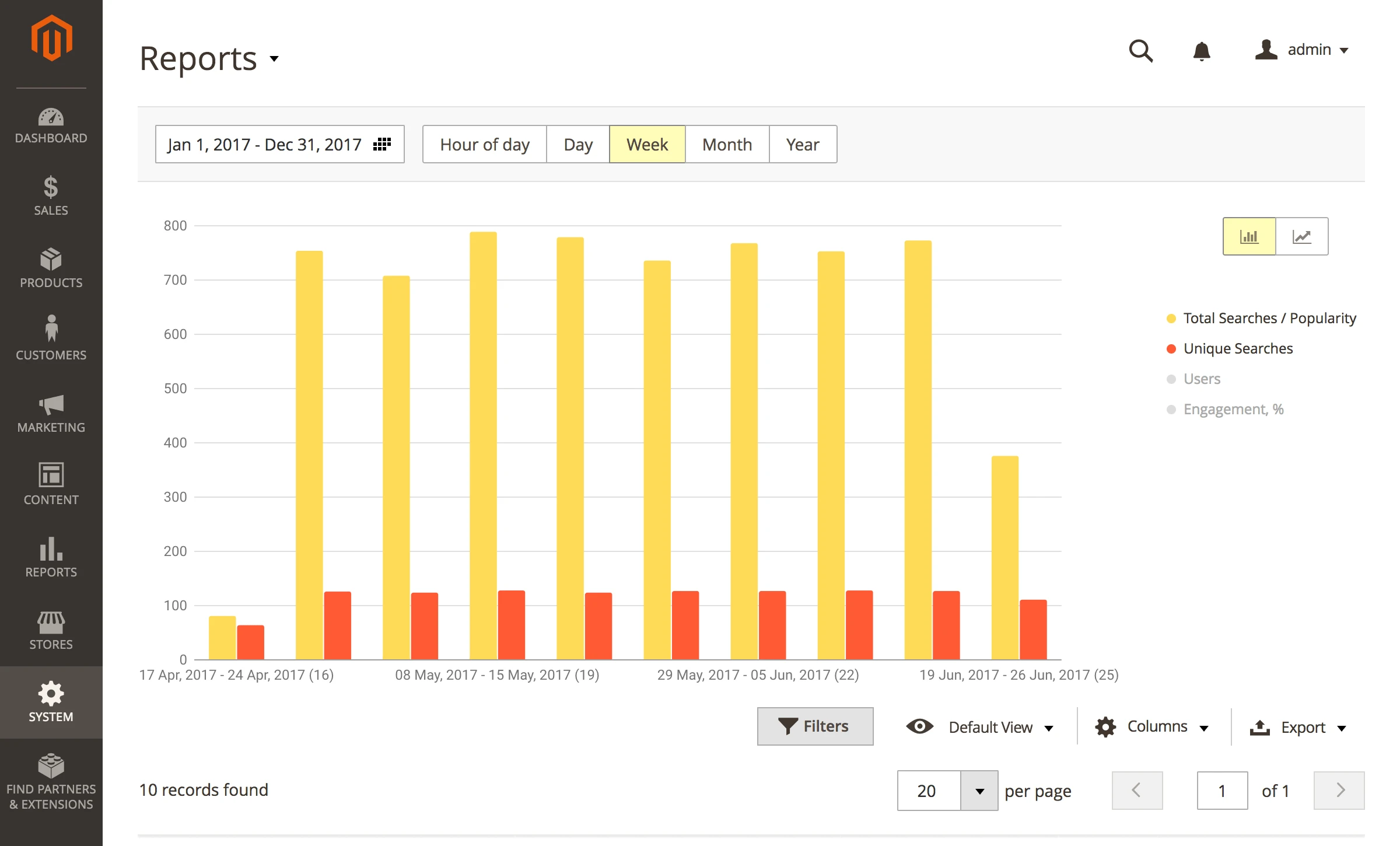
Analyze your searches with the built-in reporting tool. Get detailed search reports and see how relevant the search output is to the customers' search queries. Use this information to further fine-tune your search configuration, making sure that your customers can find the particular products they want.
The fastest and the smartest
One of the most important features of any e-commerce store is how it allows for searching among thousands of products. If the results are relevant and your store search speed is high, you are sure to have more satisfied customers and greater sales.
Sphinx Search Ultimate for Magento 2 is a fast, mature search extension built on the Sphinx engine, providing highly relevant results in a split second. The Sphinx Engine gives your store one of the most outstanding search speeds and indexing results ever: it works with the speed of over 500 queries per second when tested on product catalogs with 1,000,000 items. It is supported on desktop, mobile and tablet devices.
Sphinx Search Ultimate perfectly combines several powerful tools — Advanced Sphinx Search Pro, Search Autocomplete, and Search Spelling Correction — into one comprehensive module.
Sphinx Search Engine
Get Incredibly relevant results
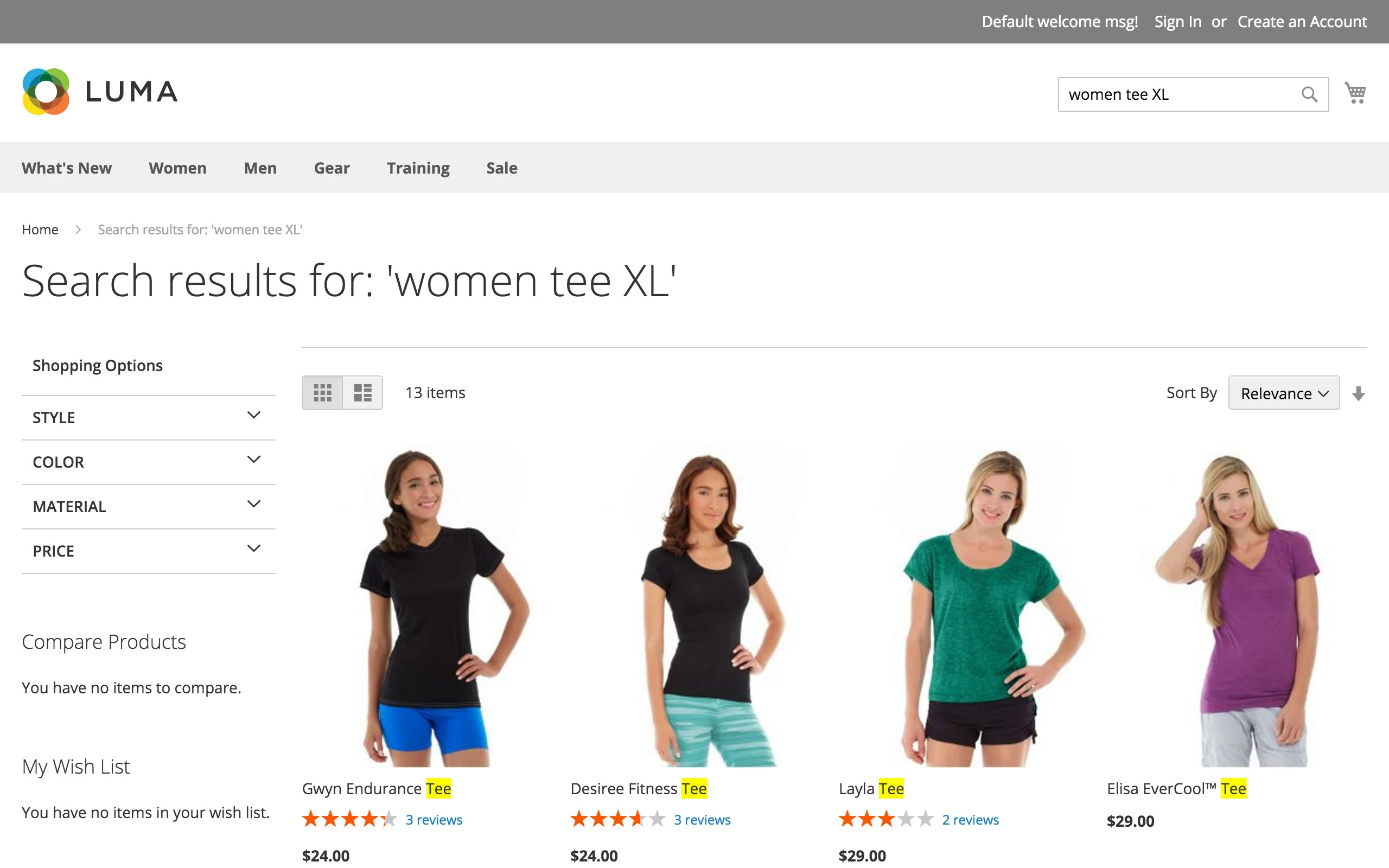
Whichever way a customer types a search query - in a singular or plural form - the search always returns the most relevant results.
The extension implements the most powerful solutions in the field of e-commerce search:
- Stemming with singular/plural words support
- Long tails search (search with hyphens, special symbols, etc.)
- Stop word and synonyms applied
Support for stores of any scale
Different modes of search engine work
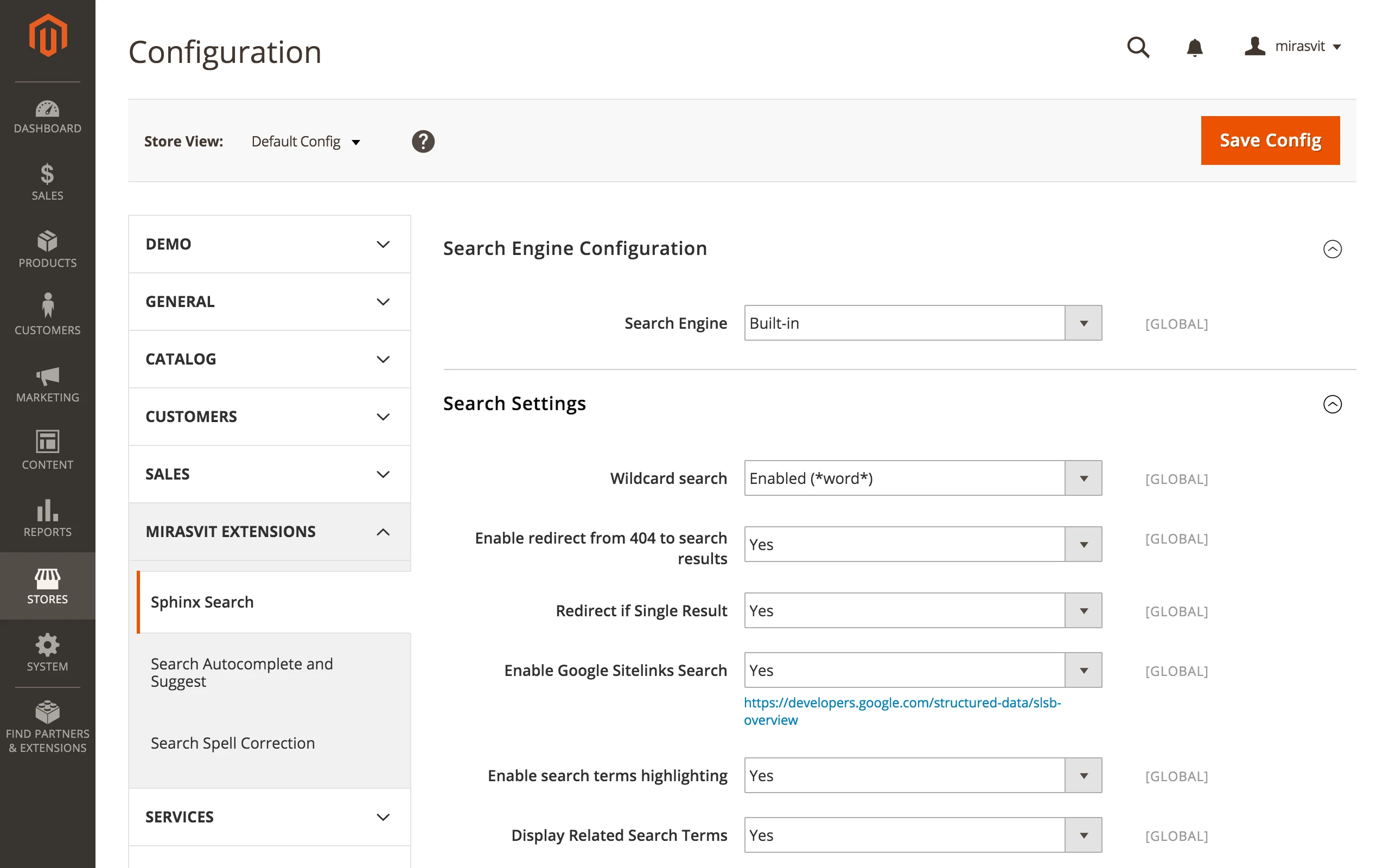
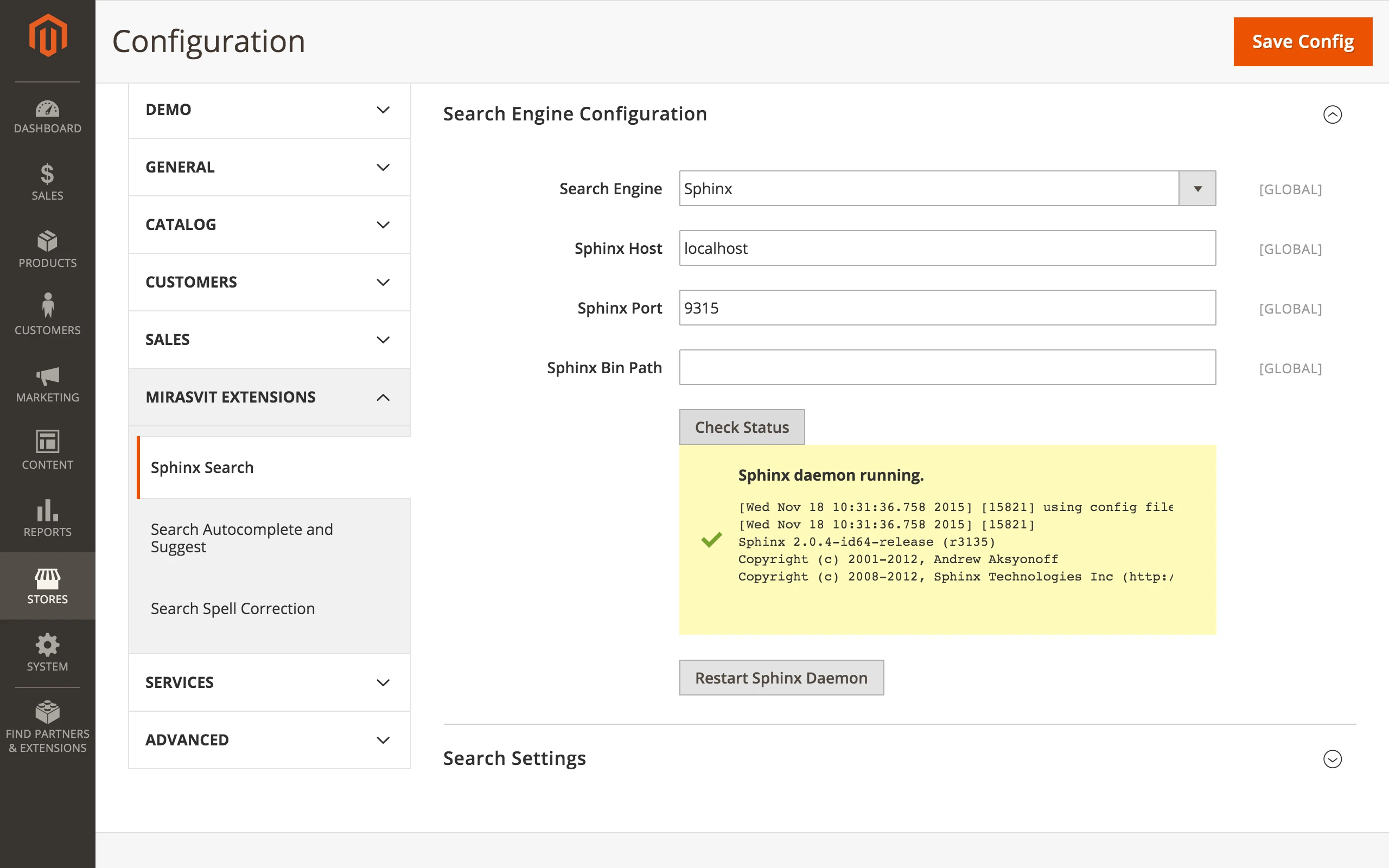
The Search Engine in your store can work in three distinct modes:
- the search engine can use the in-store built-in mysql functions
- the Sphinx search engine can be installed on the same Magento server
- the Sphinx search engine may be installed on the an additional server
This means that the extension is suitable for businesses of any size, including small eCommerce shops that use services of shared hosting, and big online e-stores that have complicated technical architecture and use multiple virtual private servers (VPS).
All languages supported
Language support with no additional software needed
Spell correction of search queries is done with the Sphinx Search Ultimate extension without any additional software needing to be installed. Search Sphinx Ultimate Magento 2 extension also works without requiring any additional dictionaries.
The spell correction is supported for multiple languages. The extension works with multiple languages by analyzing the store's content, like product descriptions. This information on the words and phrases used in your store is memorized and used for spell correction in the future.
Morphology Preprocessors
Customers can use any word form to search products
Our extension uses morphology preprocessors that can be applied to the words being put in the search index. These preprocessors can convert different forms of the identical word that users type in the search to a normalized form of this word. For example, a search queries with English words "dogs" and "dog" will be normalized to "dog". For both search words, the customer will receive the same search results.
The Sphinx search has an in-built stemmer with the support for the following languages: English, Czech.
Additionaly, a Sphinx Stemmer provides a free module with the support also for the following languages: French, Spanish, Portuguese, Italian, Romanian, German, Dutch, Swedish, Norwegian, Danish, Finnish, and Hungarian.
Search anywhere
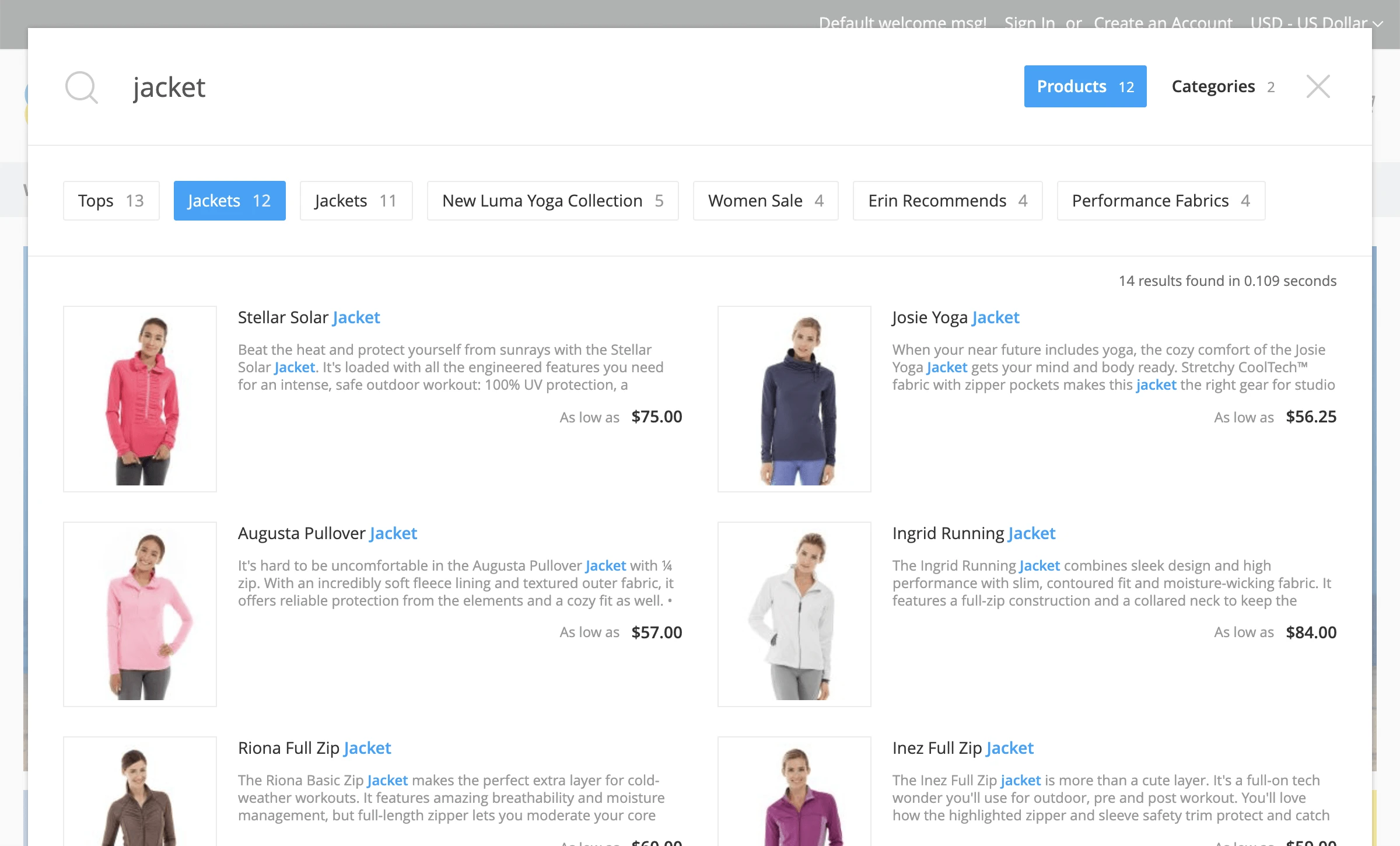
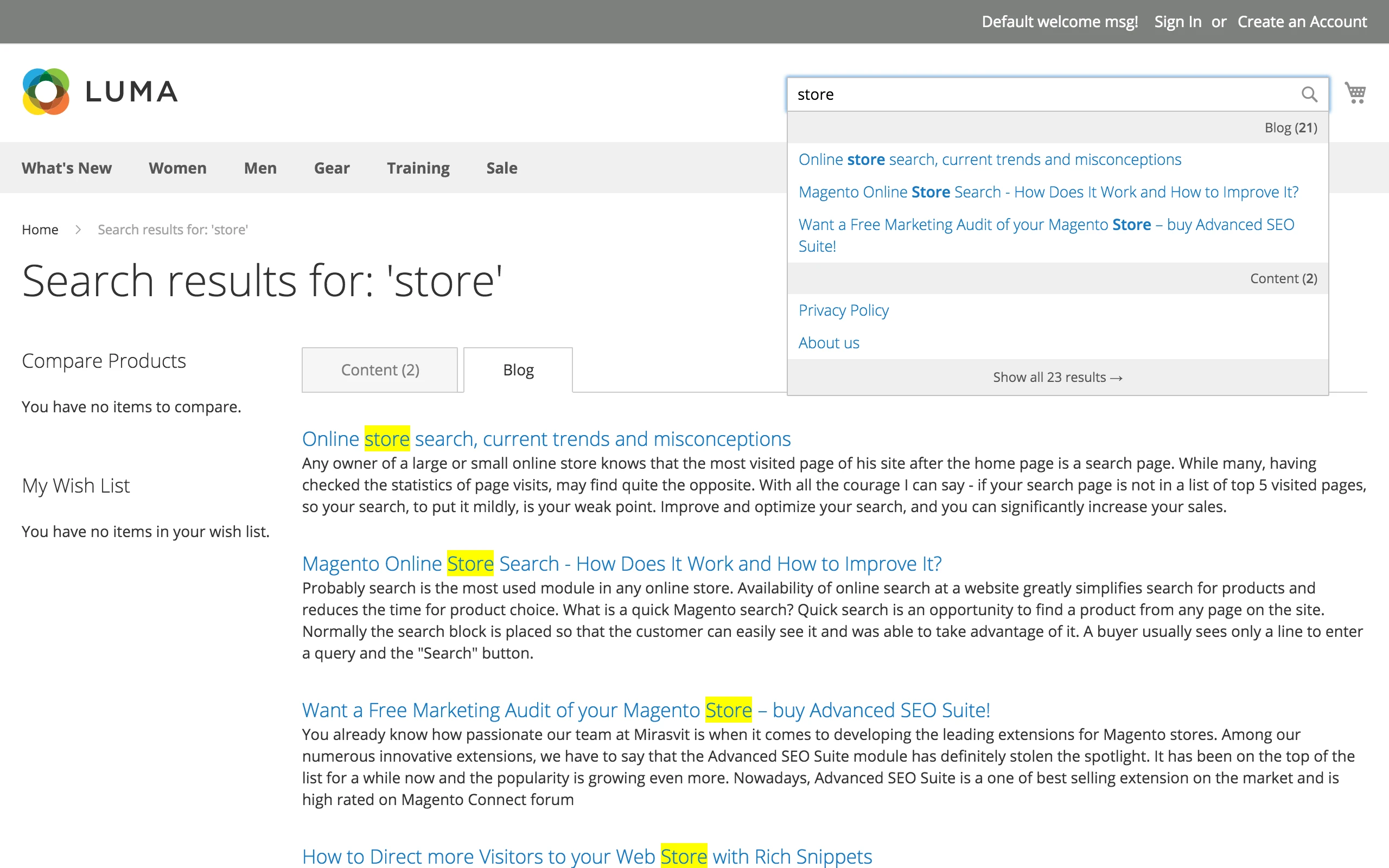
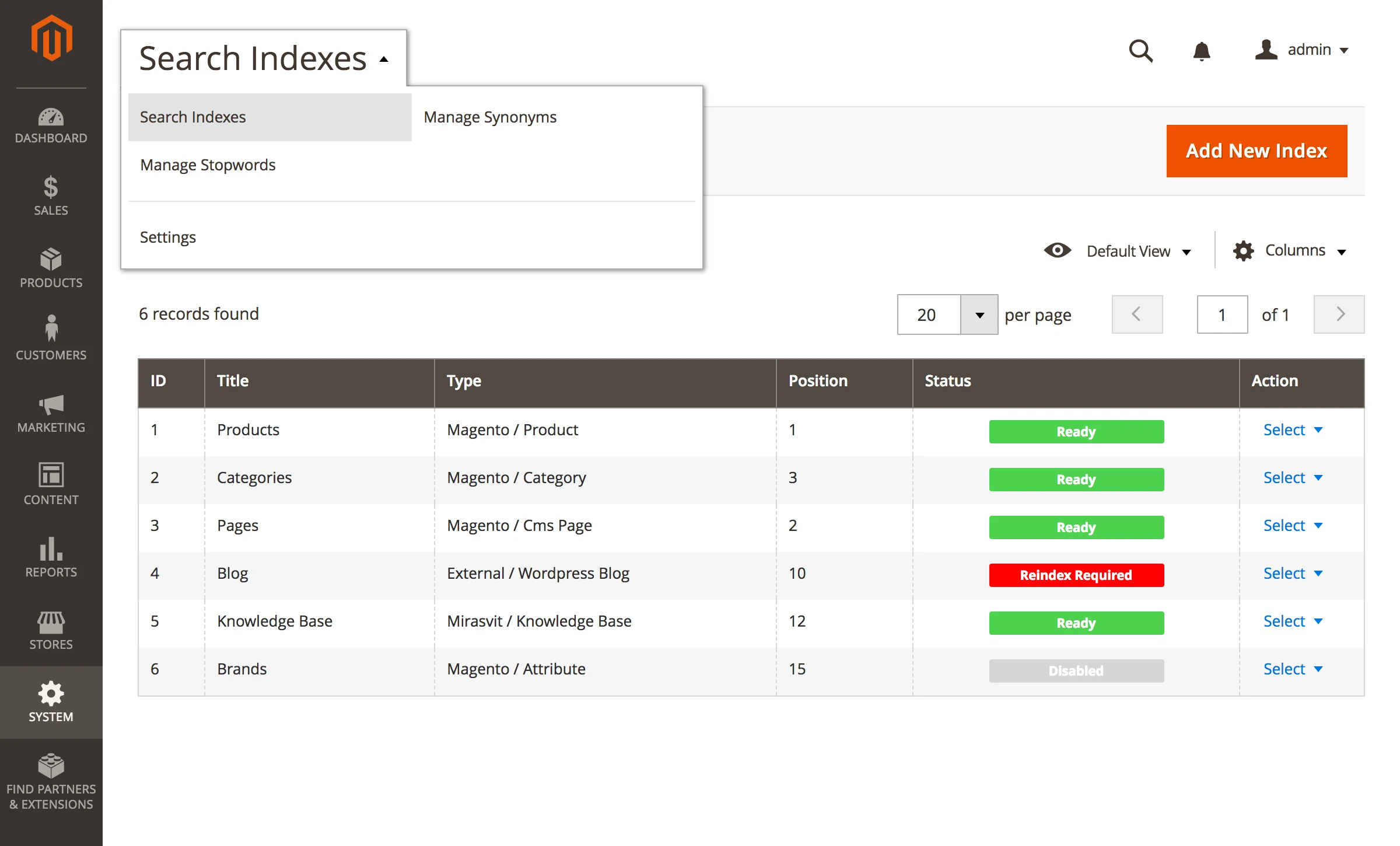
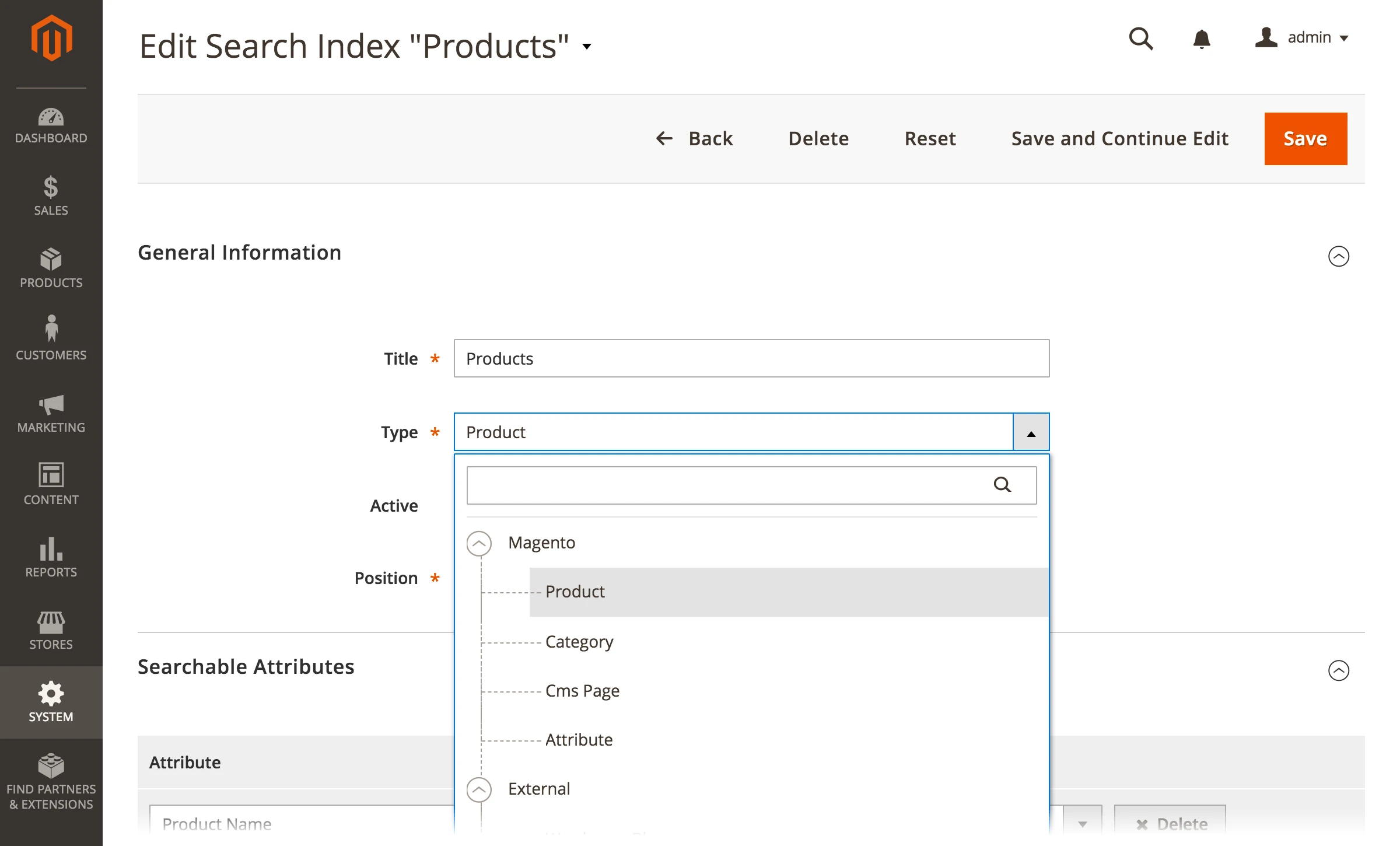
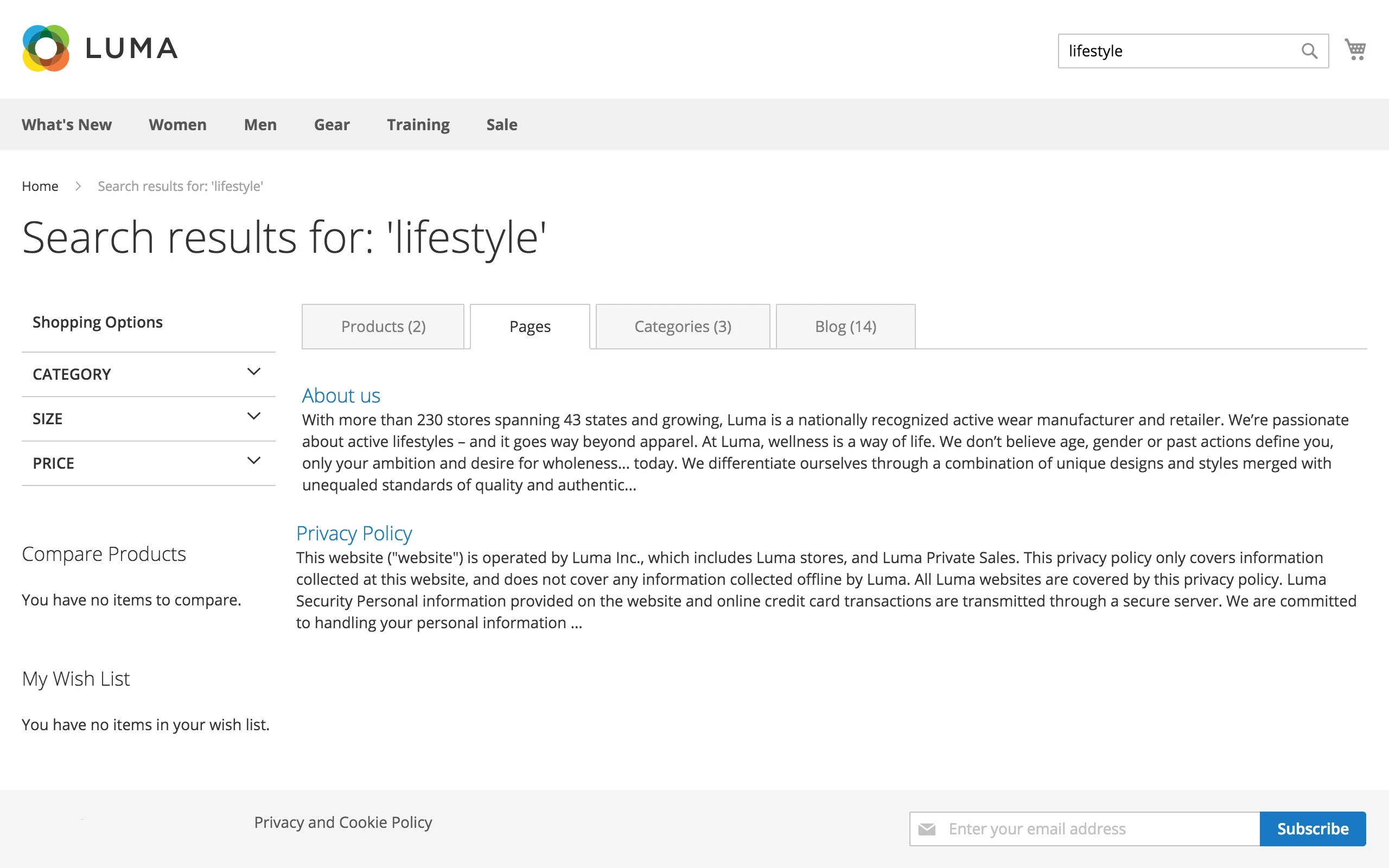
Supports searching by any type of content
The module doesn't only search by products, either. The Mirasvit Sphinx Search Ultimate Magento 2 extension also supports search by:
- Catalog Categories
- Catalog Attributes
- CMS Pages
- Wordpress Blog
- vBulletin Forum
- Knowledge Base
- Blog MX
- Magefan Blog
- Ves Blog
- Mageplaza Blog
- Aheadworks Blog
- Simple Press Forum
- Any custom type of content
"Long Tail" search
Search including symbols beyond alphabet
With this feature, users can make search queries with hyphens and slashes when searching for products. This function is valuable for any online stores, since users can search by providing partial of SKU or MPN of the products they need.
For example, a store sells a product with the name of "Canon SX500 IS". With a default Magento search when a customer types in the name of the product as "Canon SX-500IS" or "SX\500-IS", he or she will receive empty search results. The store search will not show the product page of the mentioned product. Our search engine extension is ready for these complex challenges!
Show available products first
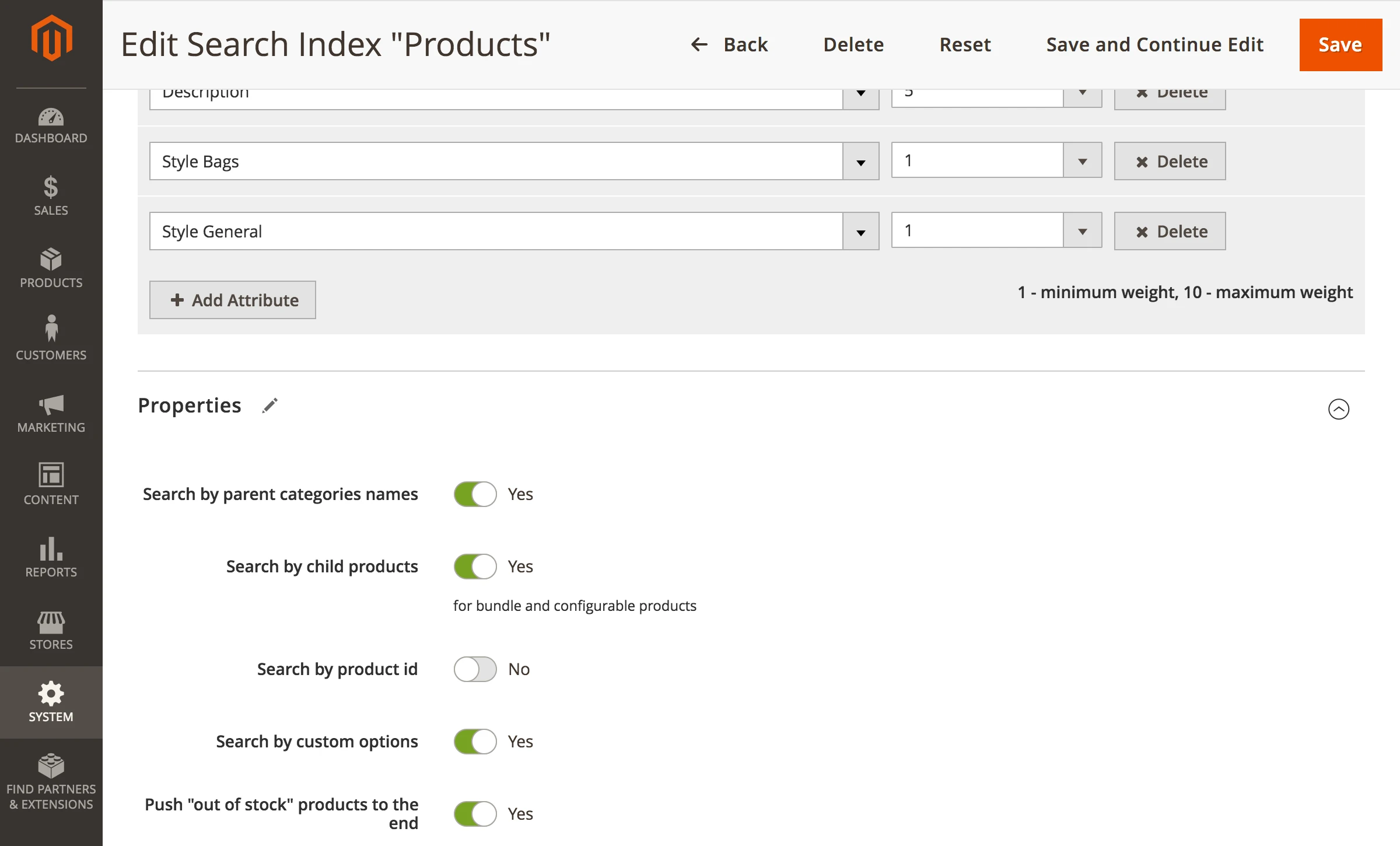
Moving the products with "out of stock" status to the bottom of search output
Default Magento search treats all products in the store equally, even if they are unavailable for sale. Such products can occupy high positions in the search output.
Using this extension, you can provide customers with search results that they can actually buy. Our module moves the currently unavailable items to the end of the search results. This provides more relevant results for your customers.
Synonyms and stop words supported
Improve search by adding synonyms and removing unnecessary words
Our extension offers a smart feature to provide customers with additional relevant results. By using synonyms, you can offer additional search results for similar words found in the search query.
The included dictionary of synonyms contains 60730 words. Such a number of available similar words allows for Sphinx to behave almost like a search engine with artificial intelligence.
In addition to synonyms, you can create a list of stop words. With the stop word feature, you can make search results more relevant by removing unnecessary words. For example, there is no need to make searches for most common words in English language, like (e.g 'a', 'an', 'the').
The module provides a basic dictionary with the most common stop words. This list contains 665 words.
High Search & Indexing speed
Fast search result for product catalog of any size
It does not matter how many products you have in your e-store - Sphinx Ultimate Search is the fastest and the smartest!
The Sphinx engine is able to index and perform a search of over 500 queries/sec among 1,000,000 SKUs.
Search by product attributes
Search products by its properties
Let your customers search for theparameters and characteristics they need, like size, colour, material, etc. Additionally, this extension allows you to use a variety of search product options. Activate searching by:
- category names
- custom options
- related content
- associated products SKUs
Built-in Search Reports
Get information on search quality
Extension includes its own reporting tool that allows you to analyse all important information about the search queries in your store. You can check reports by:
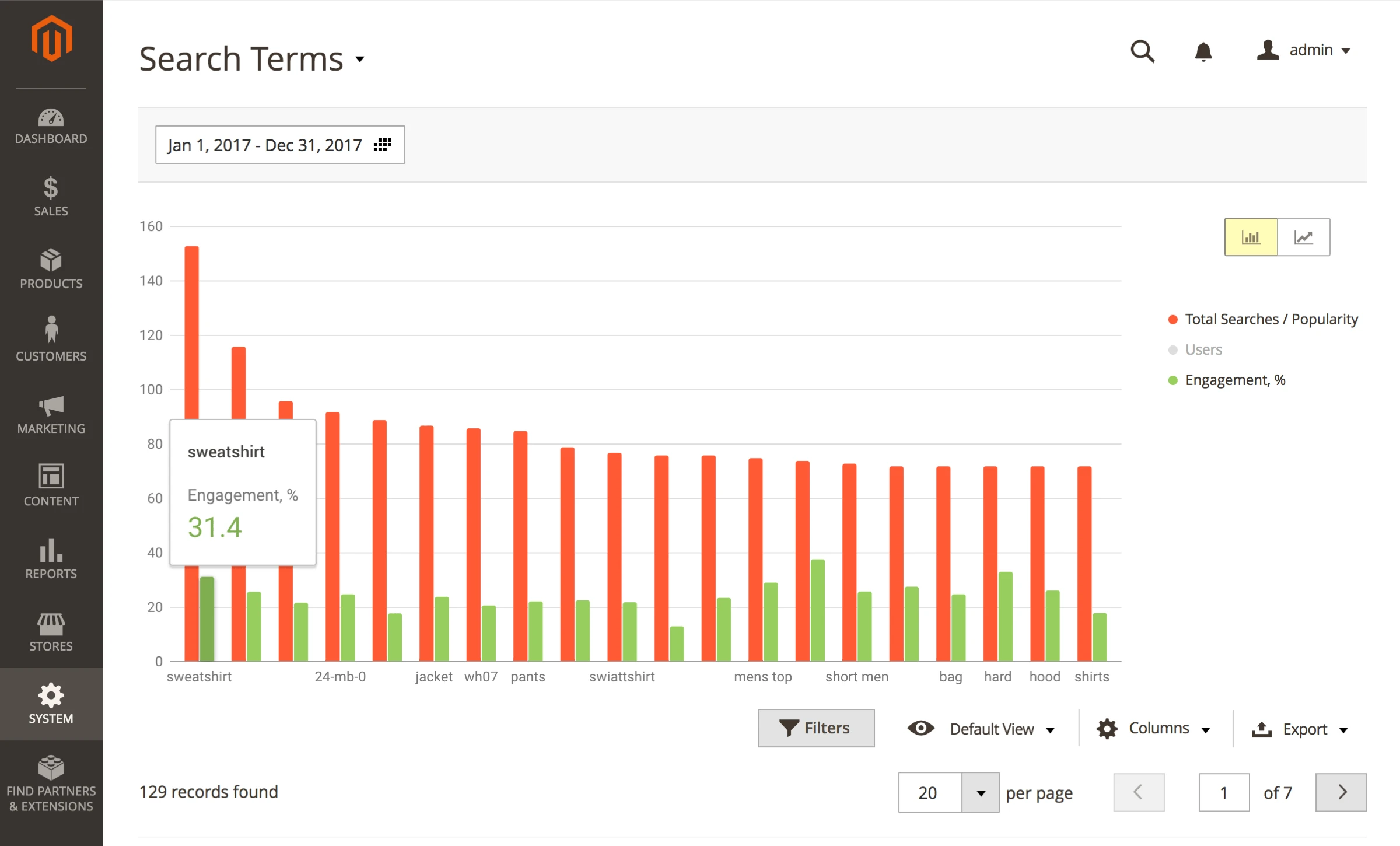
- Search Terms - the most popular search terms in your store
- Search volume - the number of search terms and engagement (the ratio between the number of clicks to the number of requests)
Group the report data by exact date, hour, day, week, month, year. Export reports to CSV, Excel or XML formats.
Ultra Fast Search Autocomplete
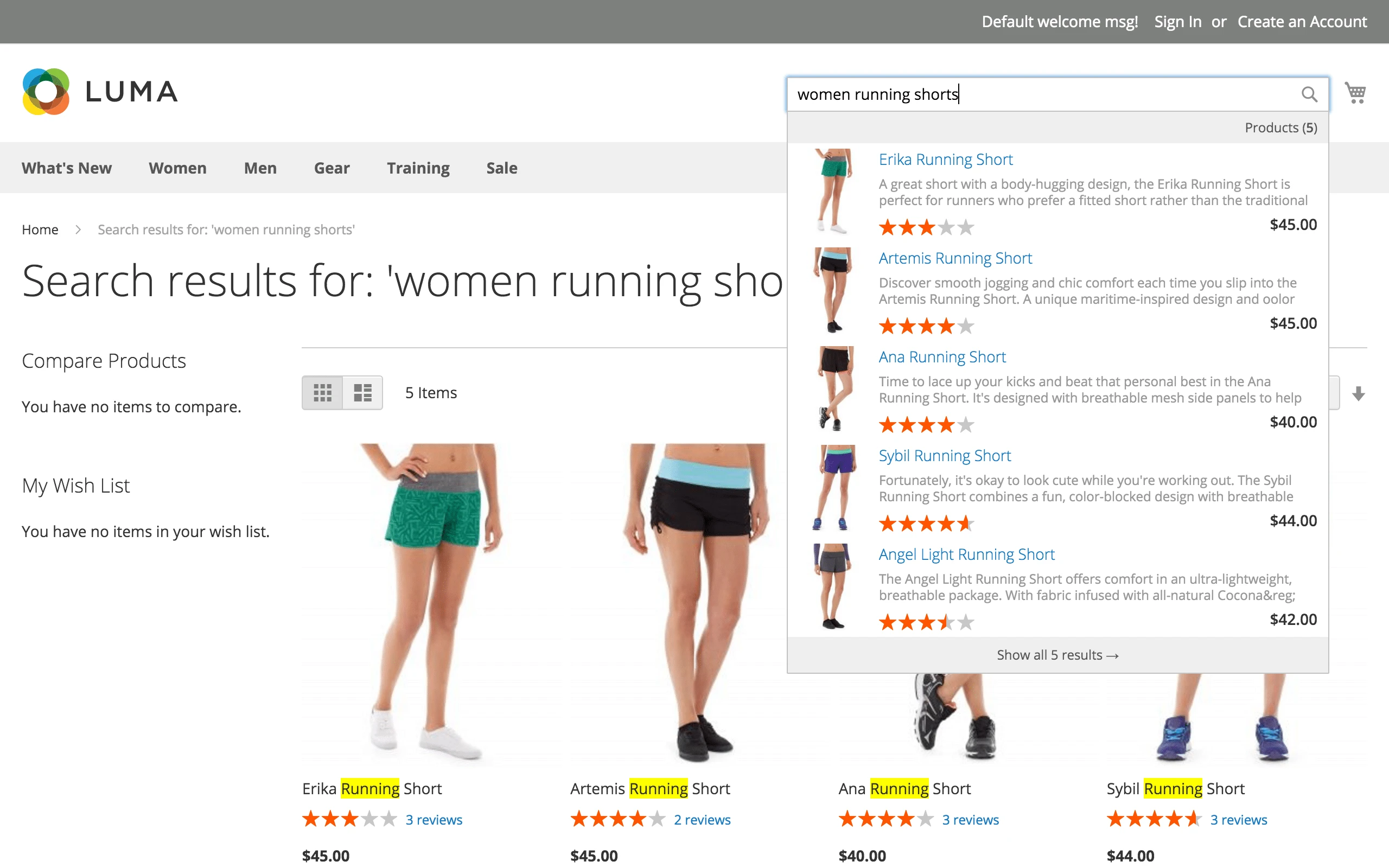
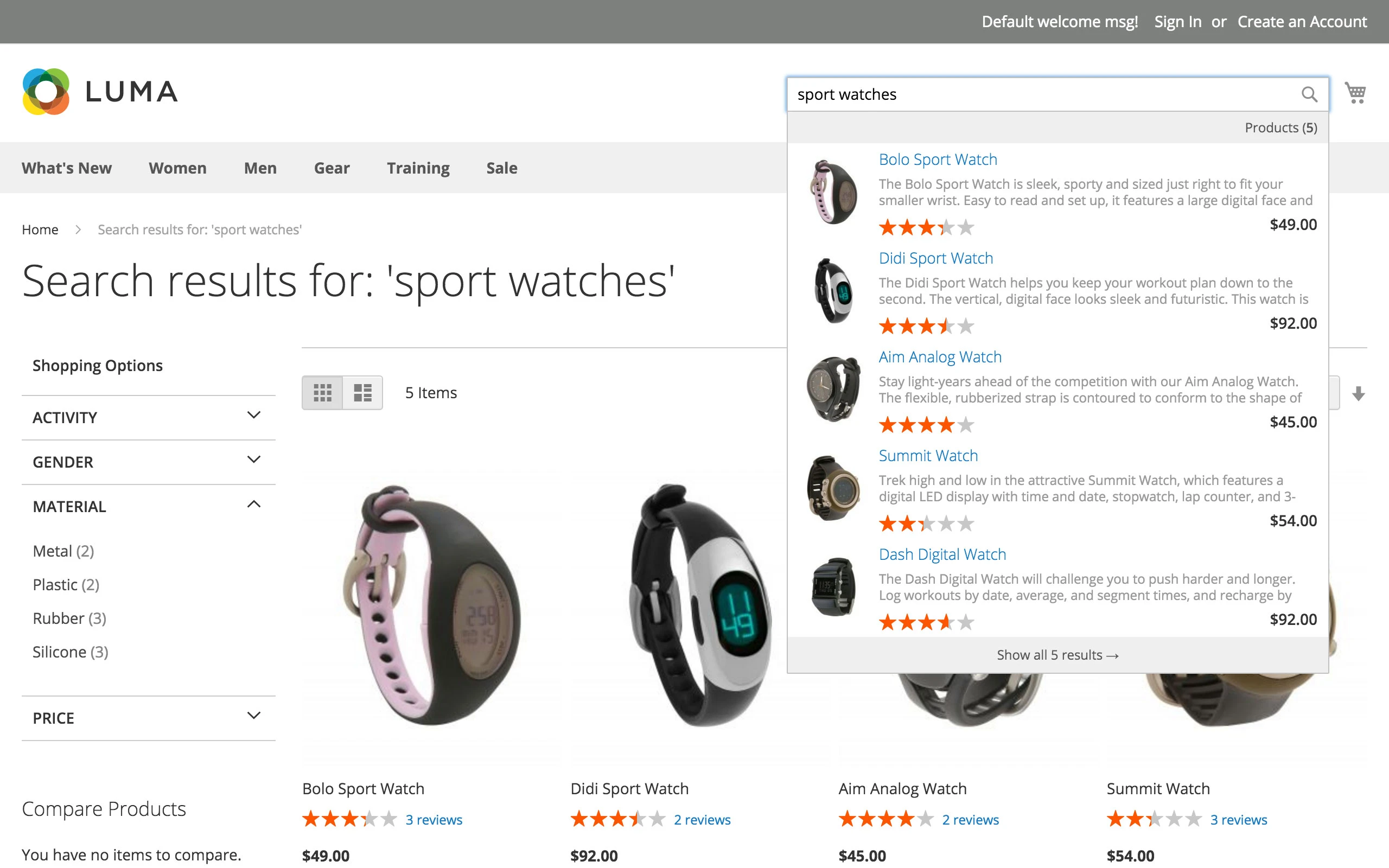
Your store can propose search tips as soon as a customer starts to type the first letters of his or her search query. Providing such additional tips in the drop-down menu can help the customer make his/her decision faster and get search results more quickly.
Provide a better user experience for your eCommerce shop with relevant product suggestions. Help customers find the product they need faster with clear and relevant contextual search tips.
The Search Ultimate extension also provides the following features on the frontend of your store:
- Ability to set search category
- Using AJAX, so the search doesn't reload the entire webpage, making it very fast
- Support of responsive themes
- Drop-down box appears with the image of products and price
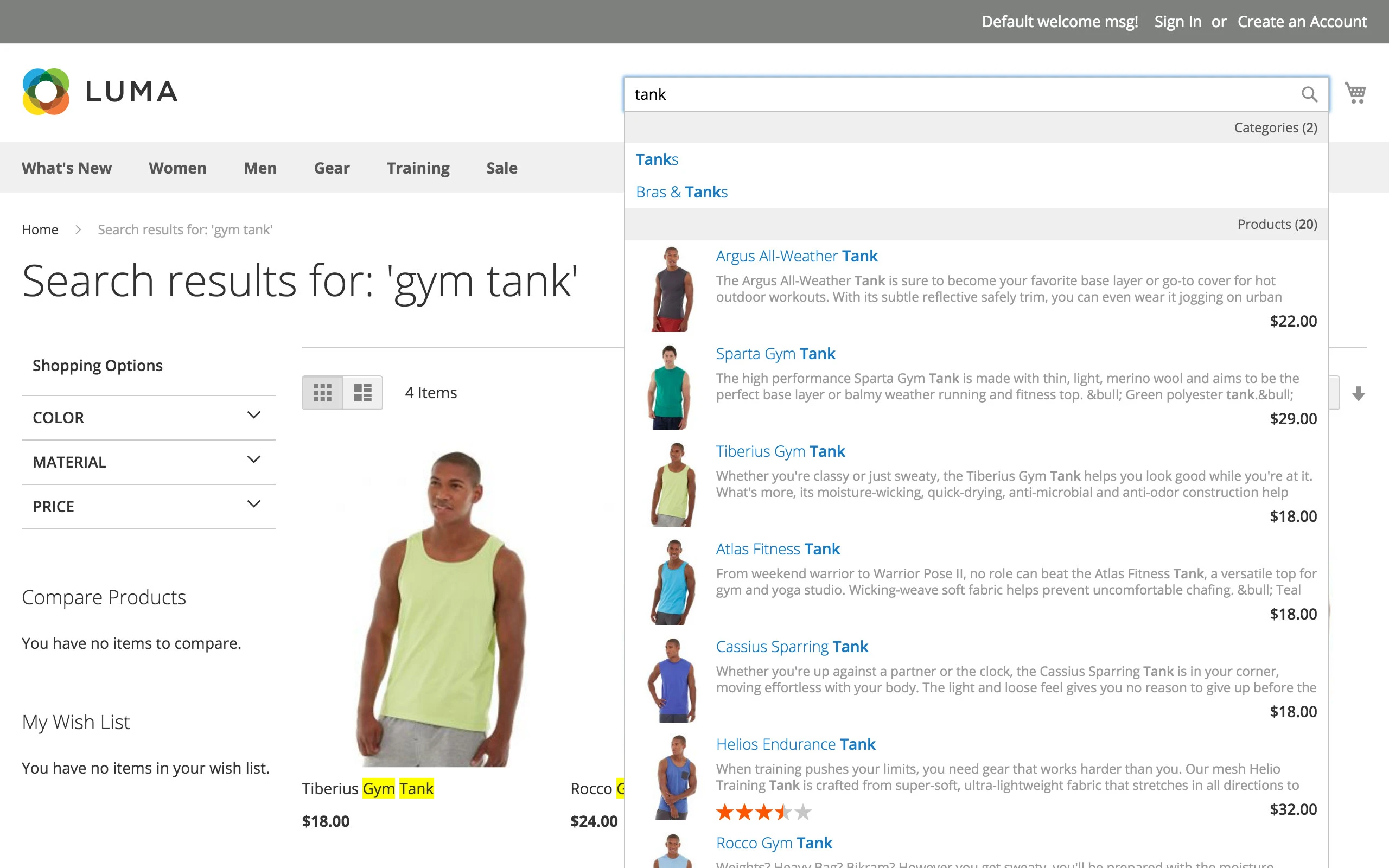
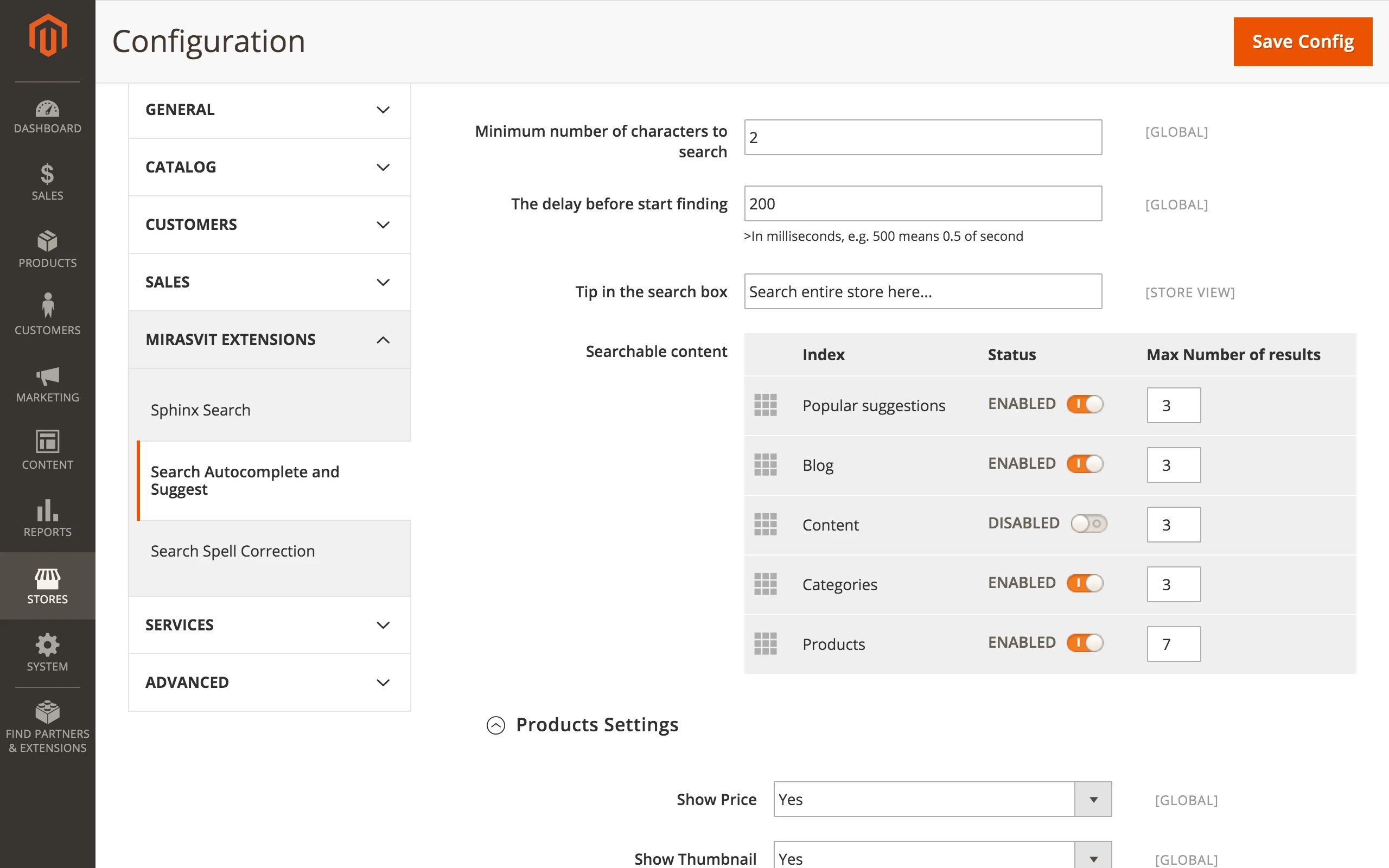
With this extension you receive wide configuration options for the search autocomplete function. Get the ability to configure:
- Minimum number of characters to search
- Delay in finding
- A limited number of results in the dropdown list for every type of content
Search Spell Correction
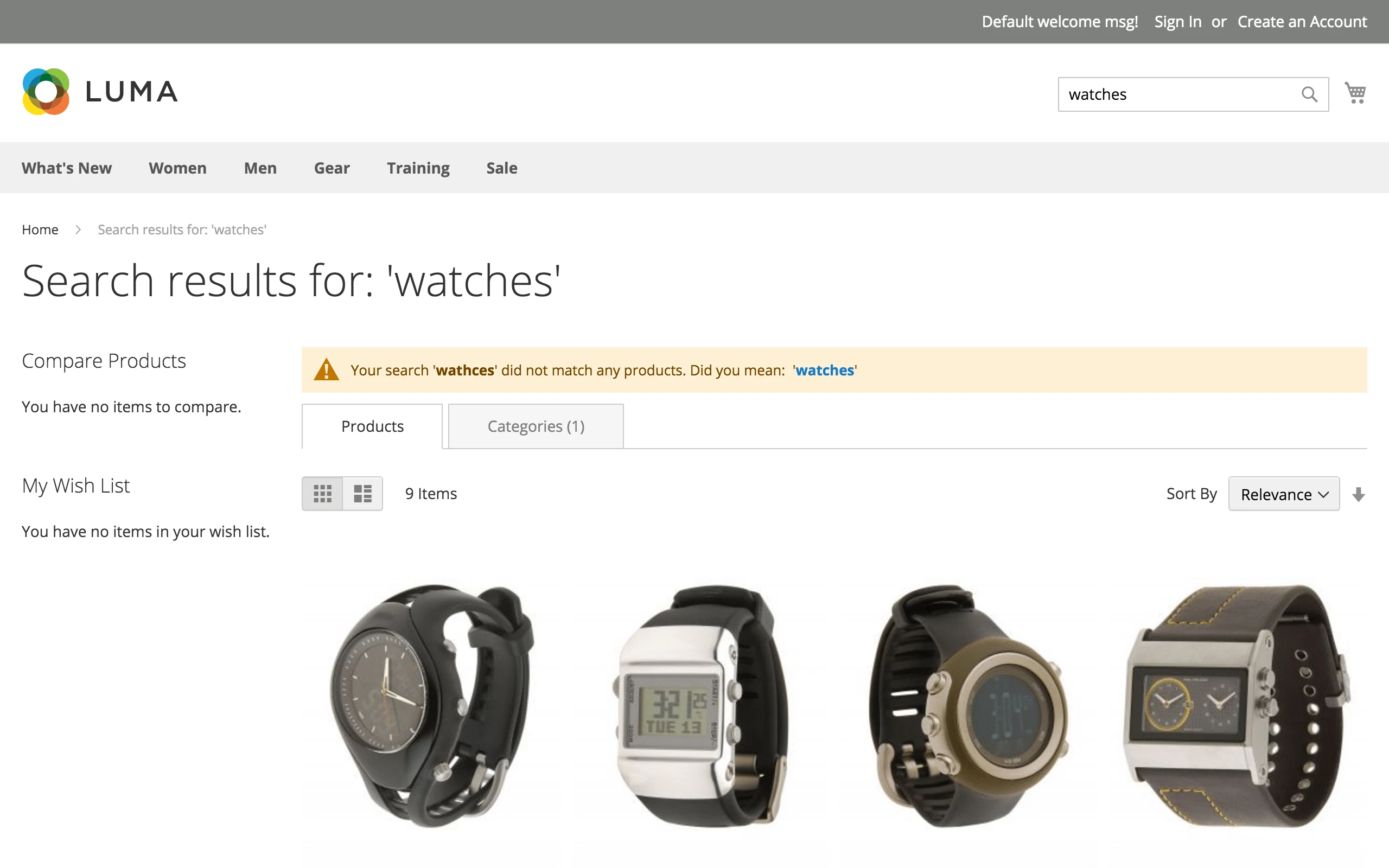
Correction of typographical errors
This extension helps customers when they do not know how to spell the product name exactly, and corrects misspelling automatically. This feature works accurately for every language.
More and more stores are using this approach of spelling correction. For example, Amazon and Zappos have implemented search spell correction in their stores.
Fallback search
Show relevant search output even when no exact match to the customer's query has been found
A highly comprehensive feature - if it is enabled, the extension returns results as part of the searched phrase if there are no products found for the full search phrase.
For example, a customer makes a search query with the keywords "red samsung phone". The store may not have a product with the exact same name, and if the store uses the default Magento search, the customer will be will returned a page with no results. With the fallback search option enabled, a customer will receive a notification regarding the empty search results page for his or her exact query. At the same time, the customer will be shown search results for the search query with similar keywords, such as "samsung phone".
Search Validator
Verify that your store shows the best search results possible
Check the search performance of your store and make validation of the search results by using the built-in Search Validator tool.
Using the Search Validator allows you to verify that you have the best possible speed for search autocomplete option and regular search. Get information on the product ranking and solve problems when product ranking in the search results is suboptimal or products do not appear at all.
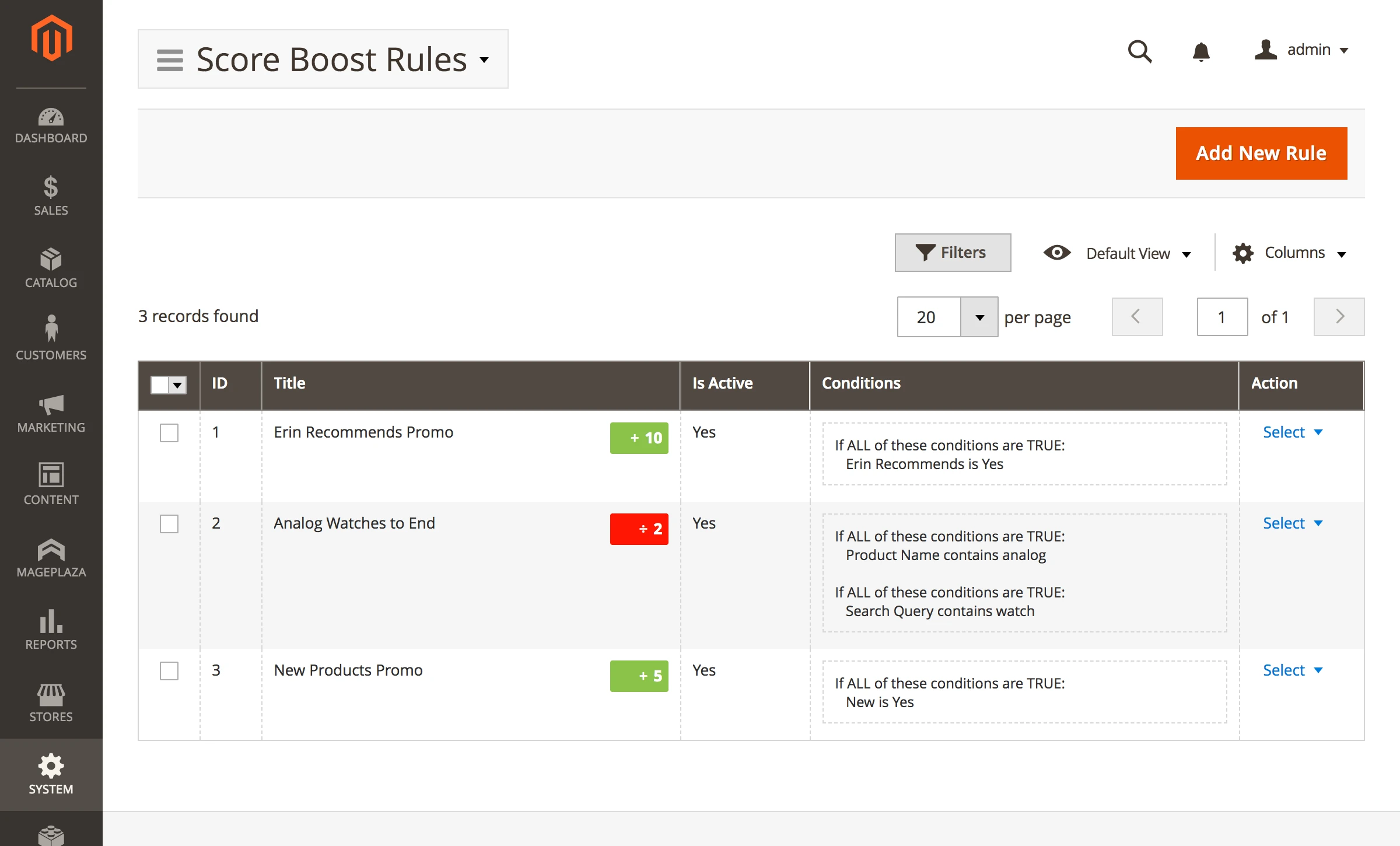
Landing Pages
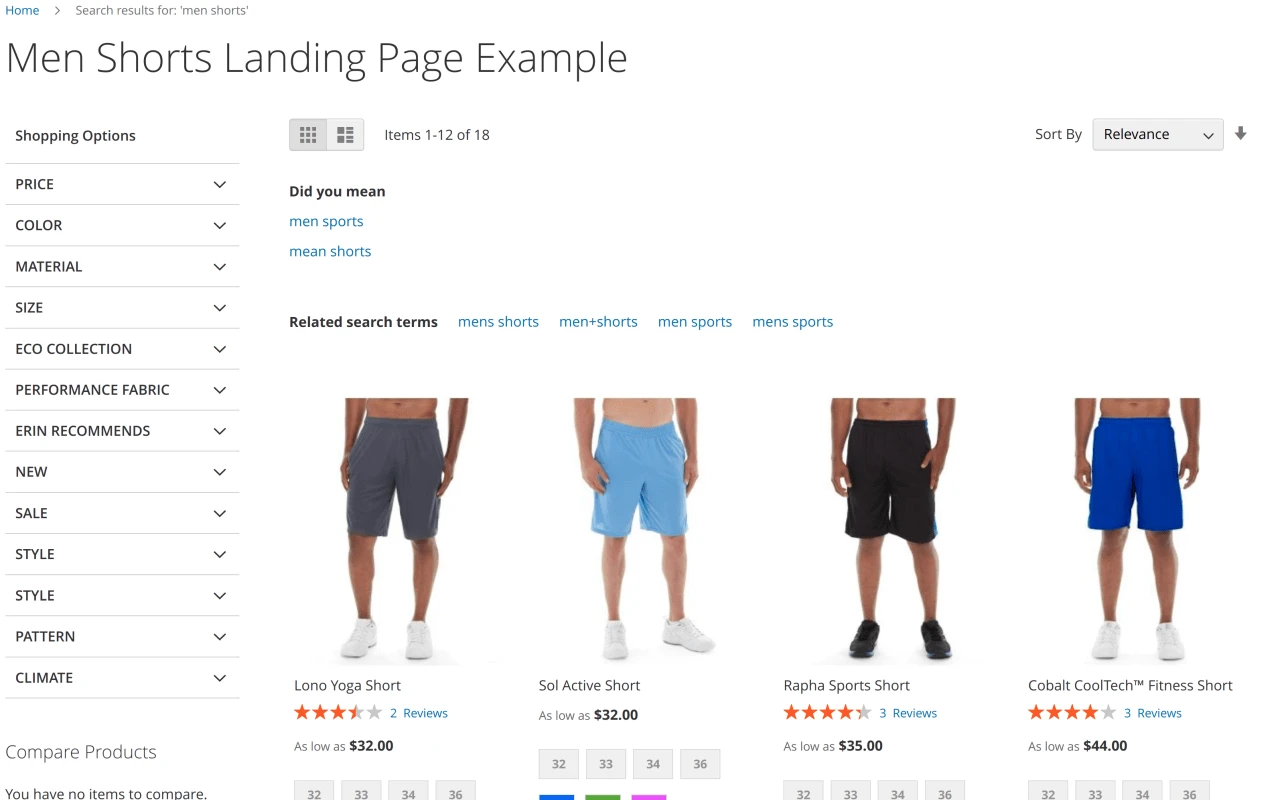
With our Ultimate Sphinx Search extension, your store can provide a customizable landing page for search results for any keyword or search phrase you wish.
For example, you are free to make an individual template page with the results for your customers who search for "men shorts".
Those users who make such a search query will land on this specially designated landing page instead of the standard search output page.
Magento 2 Enterprise Search
Our Sphinx search module is also compatible with Magento 2 Commerce Edition (formerly known as Enterprise Edition) to help you improve the relevance and enable search by multiple content types in your store.
Save time by starting your support request online and we'll connect you to an expert.
What is the difference between Elastic and Sphinx Search Ultimate?
Does an extension override the Magento search, or Do I need to have a custom API for a search on a mobile app (Android, iPhone)?
Does the search work well with words that include gaps or hyphens?
Does it work on 100K + products?
Will synonyms in the search work with Sphinx Search Engine?
Which version of Sphinx search does this extension support?
{{...}} code appear in suggestions.var/log/mirasvit/search.log when a stopword lookup fails, naming the database charset mismatch to fix.mst_search_score_rule_index) now has a primary key. MySQL clusters using Group Replication refuse tables without one and could stay read-only after a restart. The table is rebuilt automatically on the next reindex.var/log/mirasvit/search.log.maxClauseCount limit, so stores with large attribute sets (especially with multi-word synonyms) could get "nothing found" for ordinary searches. Search now keeps the query within the engine's limit, trimming ranking boosts before searchable fields, and ?debug=search reports how many attributes were left out and names a sample of them. (pm[#778]())products(search: ...) GraphQL queries, even after the storefront was fixed. GraphQL search now skips such fields as well. (pm[#959]())mirasvit:search:reindex, and reports what to do when the daemon runs on another host.mirasvit:search-sphinx:manage --stop printed a shell usage error into its own output when no valid daemon process was found.--index, --store, and the rest) are now read correctly when the schema repair runs.store_id column (with an index) is added to the mst_search_report_log table. Existing rows logged before the upgrade default to store 0.Blog

 Andriy Kovalenko
 Vera Sturdy
We are committed to being open and transparent with our customers. When you purchase our module, you automatically receive one year of free support service and free updates.
Why is this important?
- Seamless Installation and Configuration: We understand that setting up a new module can take time to configure according to your specific needs. That’s why we offer a full year of free support. Our experienced team is here to assist you with installation, configuration, and any questions you might have. We're eager to share our expertise to ensure you get the most out of your purchase.
- Stay Updated with Magento (Adobe Commerce) Releases: Magento releases new versions approximately every three months. These updates can sometimes introduce compatibility challenges. To keep your store running smoothly, we provide a year of free access to the latest versions of our modules, ensuring that you can upgrade Magento and our modules without encountering any obstacles.
- Subscription Included: Renewing your subscription ensures continued access to the latest updates and support from our team. This means you can be confident that any issues you encounter with the extension will be resolved quickly and efficiently. You can cancel your subscription at any time without any additional fees.
These are our primary. A major portion of our new clients come from referrals from our existing clients. Our professional team of developers, marketers and support staff have invested the best knowledge and experience in the field into our work, so you know you can come back to us again and again.
One year free and high quality support. We go to great lengths to provide maximum satisfaction with every module you have purchased in our store. By helping you with installation, configuration, answering your every question, we do all our best to eliminate any possible problems.
30-days money back guarantee. If you are not satisfied with our extension performance for any reason, we provide a full refund.
We constantly add new features to all our modules, and are always interested in hearing your opinion and implementing your suggested features in our future developments.
We provide an expanded user guide for every aspect of our extension, so you can find answers for all your burning questions.
You can customize extension according to your needs and requirements.
The Module is easy to install and upgrade, just follow our step-by-step user guide. Additionally, the extension is ready to use with the Hyvä theme.
No core modifications. The extension has been tested in a Magento Cloud environment and is fully compatible with it.